
I am working in Grafana v11.6.3 on Windows 11. It’s tough to provide sample data because of the confidentiality of my company, so I will do my best to explain my goal clearly and answer any follow-up questions. We pull data from a software which has predetermined thresholds based on product type, with operators entering results of their tests (e.g operator enters “Characteristic Value”, system provides “Out of Spec Min”, “Warning Min”, “Warning Max”, “Out of Spec Max”). These different values are all tagged in Grafana, and I can show them in a Time Series panel. I have no problem with using these as my visible panel thresholds. What I want is the functionality of the Color Scheme “From thresholds (by value)” to be applied to the “Characteristic Value” based on the “OOS Min”, “Warning Min”, “Warning Max”, and “Out of Spec Max”, rather than by pre-specified values. I have tried editing directly in the JSON panel in the Query Inspector, since it doesn’t allow me to put tags in the threshold fields on the general editing panel, but I have to admit I’m not very well-versed in JSON coding and am struggling. Is this possible to achieve - can I edit the JSON file to use a tag instead of a number as a threshold value? If not, it’s fine, but if it is and someone could provide me with some help, that would be greatly appreciated!
Hi, have you tried playing around with “Config from query” transformation? I’m not 100% sure, as the threshold is quite weird in there for me, but it might be doable.
Could you at least provide the data type for these?
Characteristic Value,Out of Spec Min,Warning Min,Warning Max,Out of Spec Max
23,1,23,4,6
you could maybe use the new SQL Expression feature that can use sql syntax for any datasource query. Then you can do some conditionals to specify ranges/thresholds to sort out a color and then use @dawiddebowski suggestion of config from query which has a Color feature you can then use to map color column to

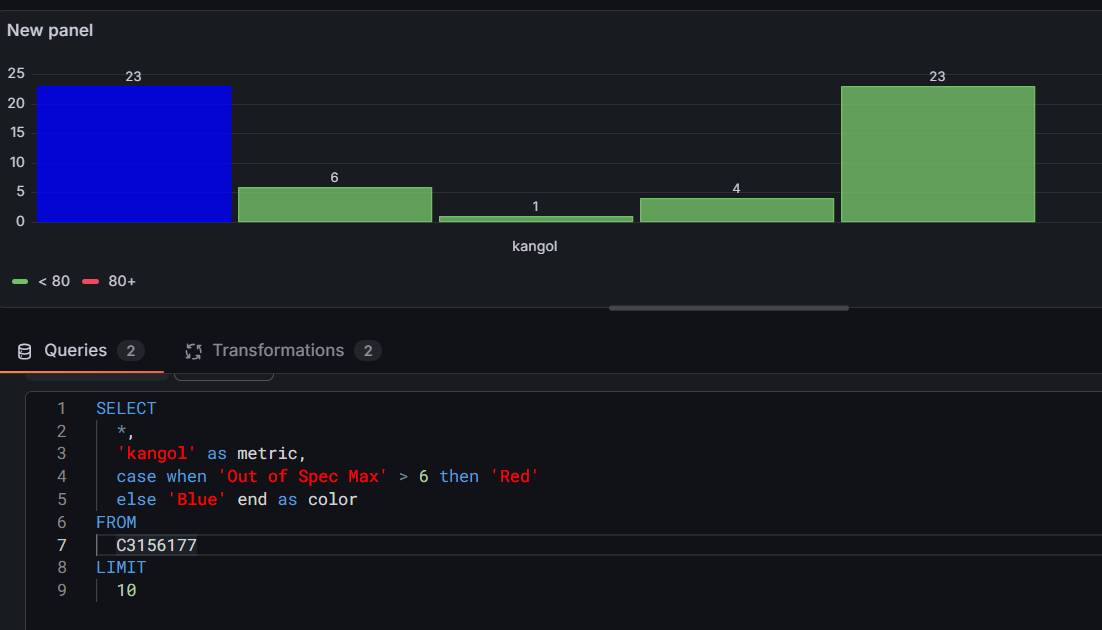
I have, but could probably give it a bit more time and effort. Will see if I can get something working from there.
Data type for all is float I believe. Very similar to the example you’ve put together here. I’ll need to brush up on my SQL but this is a good idea, and gives me a good foundation. I’ll let you know if I figure it out based on your suggestion.