Hi,
I have installed OSS Grafana on a standalone Windows server. I am trying to make an API connection an application portal. I am able to generate the access token from the portal. How do I make the integration from Grafana to the portal.
Thanks
Jayson
→
-
What Grafana version and what operating system are you using?
-
What are you trying to achieve?
-
How are you trying to achieve it?
-
What happened?
-
What did you expect to happen?
-
Can you copy/paste the configuration(s) that you are having problems with?
-
Did you receive any errors in the Grafana UI or in related logs? If so, please tell us exactly what they were.
-
Did you follow any online instructions? If so, what is the URL?
You may consider this solution to resolve your issue — I hope it proves helpful.
Step : 1 Confirm your environment
API type: Your portal must expose a REST API (returning JSON).
Access Token
Step : 2 Install the JSON API Plugin
This plugin lets Grafana pull data from any REST API.
Open Command Prompt as Admin
grafana-cli plugins install marcusolsson-json-datasource
Restart Grafana service
Step 3: Add JSON API Datasource in Grafana
Open Grafana in your browser (http://localhost:3000 or server IP).
Data Sources>Add data source > JSON API
Configure:
URL: https://your-portal.com/api
Authentication
Header name: Authorization
Header value: Bearer YOUR_ACCESS_TOKEN
Save & Test
Step : 4 Create a Dashboard Panel
In the query editor:
Set Relative path: ( metrics → which becomes https://your-portal.com/api/metrics)
Run Query
the data appears, use Transform → Extract fields to parse JSON
Step 5: Parse JSON
{
  "data": [
    {"timestamp": "2025-07-24T10:00:00Z", "value": 82},
    {"timestamp": "2025-07-24T11:00:00Z", "value": 85}
  ]
}
Use these fields:
- Time field:
data[*].timestamp
- Value field:
data[*].value
Final output look like
Hi Shanker,
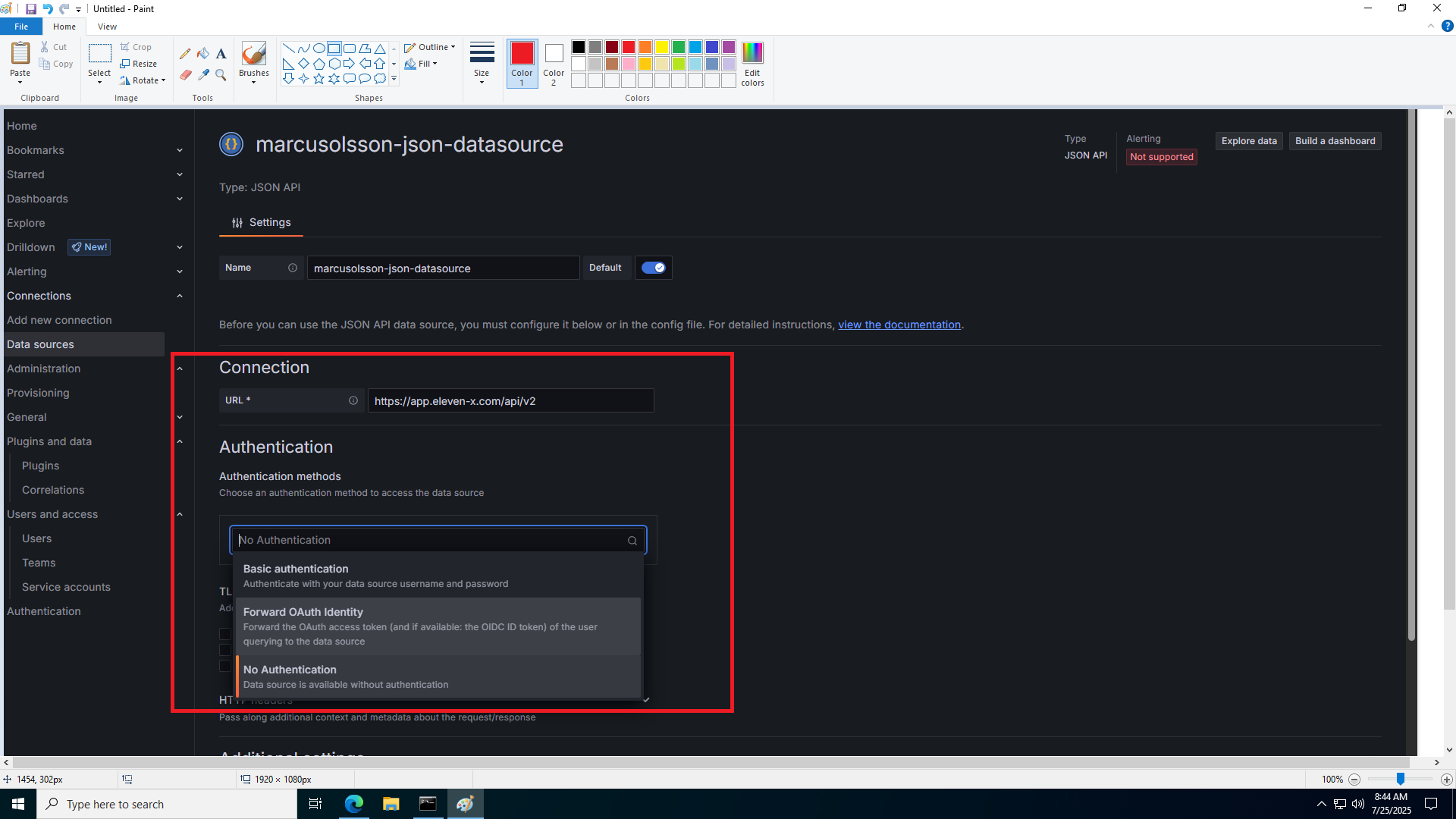
I cant find the Header option in your step # 3
You can find the Header section just below the TLS Settings
If you face any further issues, feel free to reach out to me.
JSON Api plugin is in maintanence only mode. ( Almost deprecated and no new features added last couple of years ). Consider using infinity data source instead. ( Also use one of the backend parsers when using infinity )
2 Likes
Hi Shanker.
I tried again using the header in your step #3. Under Authentication, I selected ‘No Authentication’ and then entered the following under the HTTP header fields: I pasted the token key text inot the Value. When I did a Save & Test, I got the error message shown below.
Hi Shanker,
I can’t seem to find the fields you mentioned in step 4. Please help.
as recommended by @yesoreyeram might want to use infinity plugin instead.
Are the steps same in Infinity as that Shanker listed, or are the steps different?