I have a table of data with a column for date ranges.
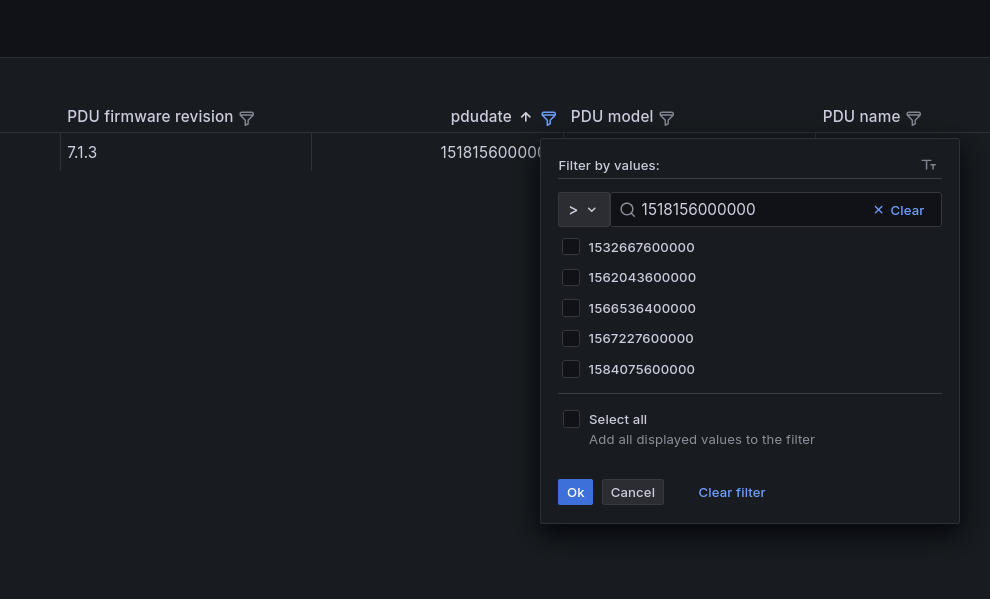
Using the table filter function, even when using > or >=, so on, it only filters by that exact date.
The data is an epoch time, and I’ve tried using transformations and making it a “proper” date type, but that doesn’t affect the filter issue. To be clear, I want to filter by the date value of a datapoint (manufacture or install date)
Is this a bug, or am I doing it wrong?
The real weird bit is that using != or == both match the selected value…
you can try this way to resolve the issue
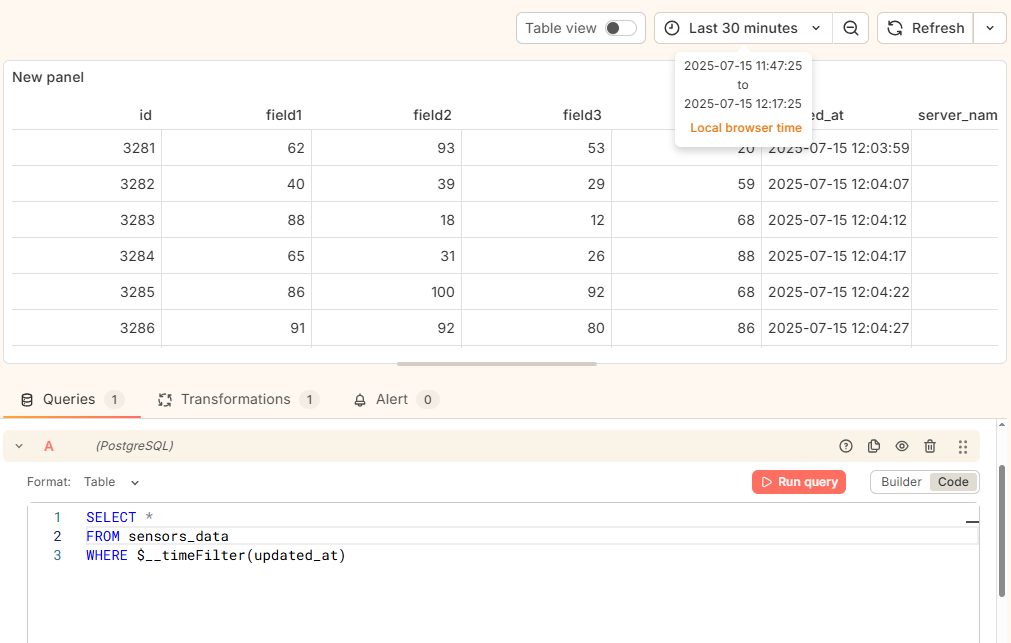
Step : 1 add a Query for filter data based on date filter
SELECT *
FROM senser_data
WHERE $__timeFilter(updated_at)
Step : 2 Add Tranform (1 - Filter data by query refId ) apply the above writen query
Step : 3 Apply the filter using Time Range section be side of Refresh button
Final Output :
Using a time filter here doesn’t make much sense. Are you saying I should filter the “data range” by something like “2017-2021” in order to simply get a table of devices manufactured during that period?
I’m specifically looking at one column of JSON data here. I’d also like to quickly sort by devices made or installed on the same date. This seems to be a bug with the table’s filter mechanism?
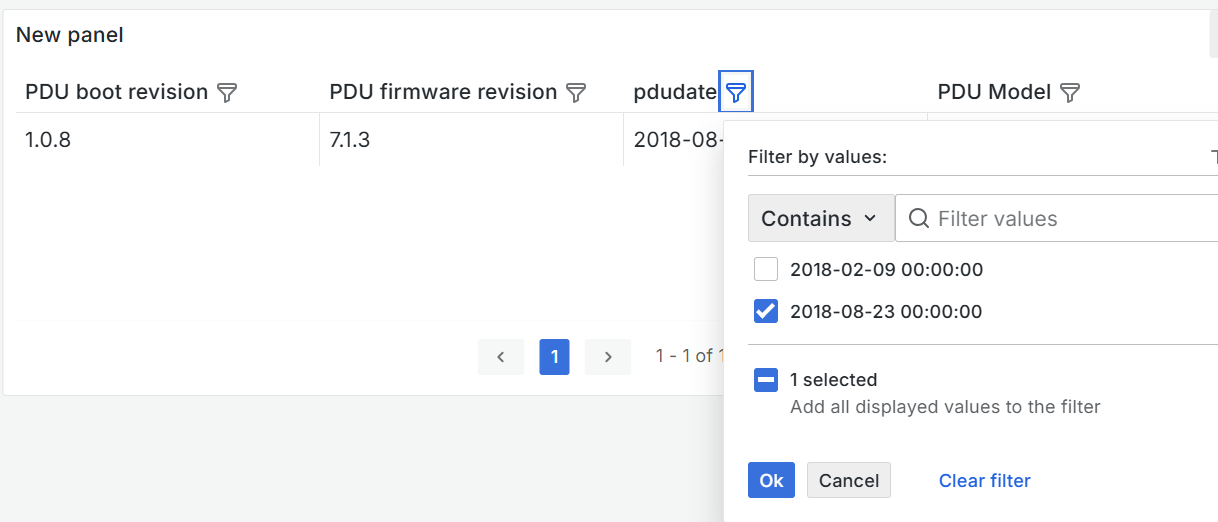
Here’s some of what I’m looking at:
!= filter does the opposite of what I want and acts like ==
This was tested in 11.x and 12.x:
what is your overall datasource you are querying from. also what is the json column you speak of? Also what data type is the “date” column?
I wrote a script which pulls the data and returns it as JSON. It returns a simple list of dicts with the table content. The date is a unix timestamp (no milliseconds), this is the column I’m trying to filter by.
I had the same data coming in from Prometheus, but it was the raw data where the date was a string like “MM/DD/YYYY”, and I was able to use a transformation to make this into a unix timestamp, but filtering still didn’t function. I thought maybe it had to do with the transformations breaking the filtering.
Are you using infinity to get what you need into the table? please share a sample json
[
{
"PDU boot revision": "1.0.8",
"PDU firmware revision": "7.1.3",
"pdudate": "2018-02-09 00:00:00",
"PDU Model": "AP8962"
},
{
"PDU boot revision": "1.0.8",
"PDU firmware revision": "7.1.3",
"pdudate": "2018-08-23 00:00:00",
"PDU Model": "AP8961"
}
]
it is working for me (grafana v12)
Yes, I’m using infinity and tried multiple backends.
that data is similar to what I have, but the date would be a number. Contains/== are the only functions that seem to work. Even != acts like == which is strange to me. You can see that behavior in the picture I sent before.
You can see here, it’s only matching one entry for >:
ah sorry! that definitely smells like a bug. I would file it on grafana github
1 Like