
Grafana version: Grafana v12.2.0
Operating System: Microsoft Windows 11 Pro
I want to customize the Grafana dashboard time picker so that users can only select a From date and To date using the calendar.
I don’t want to show the default quick ranges like “Last 2 hours”, “Last 7 days”, etc.
I checked the dashboard settings and time picker options in Grafana but couldn’t find any way to hide or disable the predefined quick ranges.
The time picker always shows the default relative options such as “Last 15 minutes”, “Last 1 hour”, “Today”, “This week”, etc.
I couldn’t find a configuration to remove those and show only absolute date range selection.
I expected to see an option to restrict the time picker so that only the From and To date calendars appear, allowing users to manually choose a start and end date.
Welcome @adharshab02
What is your datasource?
Influx DB
Hi @adharshab02
As you found and noted, the grafana.ini settings only allow you to adjust the quick selection ranges. As a workaround, you can hide the Time Picker in the settings…
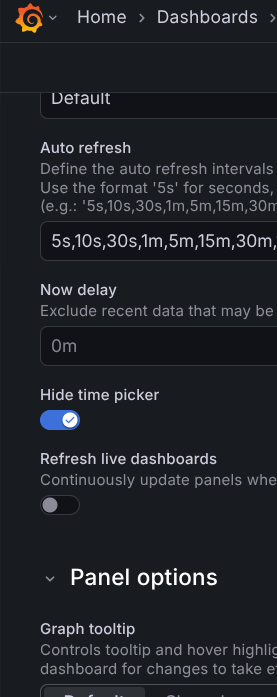
and then configure to and from template variables based on your needs. Here are some potentially helpful links:
1 Like
@adharshab02 There is also a PART 02 available on How create your own date-picker 
Its a follow up on PART 01 and contains more simplified use cases and also a section (use case #4) for influx Db users
1 Like