
Hi @grant2 ,
Thank you for sharing the link. The time range mentioned in the link, isn’t it referring to the amount of data we are to display on the panels?
From what i have understood so far, We can set the time range of the graph we wish to display (We want to display last 3 hours data). We can refresh the dashboard to update the data on all the panels based on the set time.

On panel level, we have Query Options as well: we can scale data to be displayed
The interval Option here also aggregates data based on the number of maximum data points set for the panel.
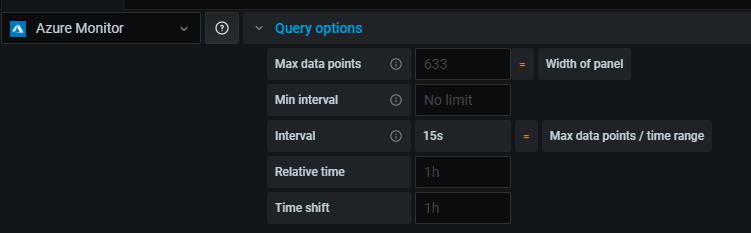
I am trying to monitor an Azure data Source, which also has a Time Grain field (similar to the Interval option in Query Options)
Not sure about the Time Shift & Relative time option in Query Options. Based on the link it seems to be the time range selection options for a panel to override dashboard setting. But Still on my dashboard it was showing last 3 hour data only.
What i wish to identify is
-
The number of times Grafana would query Azure Data Source to fetch data.
-
In case, we have set the Dashboard level time range to “Last 1 hour”.
The time grain in Azure query is set to 5m. The Interval in Query Options is set to 15 Sec. Dashboard refresh rate is off. So, would Azure only be queried Once for last 1 hour data with time grain of 5 minutes? -
Lets say 5 minutes have passed, now if we refresh the dashboard it would again query Azure data source to fetch last 1 hour data (Which would include 55 mins of data fetched in earlier query)
Please do let me know in case I’ve missed out on anything.