
Hey guys. So I’m building a custom plugin to implement interactive tables in Grafana (with buttons, etc.). I’ve already managed linking the result of queries to the data in table, but the problem is my table looks really out-of-order for Grafana style. Any suggestions on how can I achieve same or, at least, similar style to default table? I know that there is original Grafana “Table” React component, but I’m not sure that it’s possible to change it’s behaviour (like checkboxes and buttons for each row, dialog windows). Any ideas will be appreciated.
@artemp2403 You can make as close as possible using Grafana theme:
https://developers.grafana.com/ui/latest/index.html?path=/docs/docs-overview-theme--docs
We, actually, working on a similar panel. Do you use any library to create tables?
Please share when you make it work.
Thx, for advice, I’ll check it out. I’ve started from using Grafana library and it’s table component, but I wasn’t been able to modify its behavior, so I’ve switched to the default React table.
Hi! Were either of you able to implement this idea? I am in need of interactive tables with buttons as well.
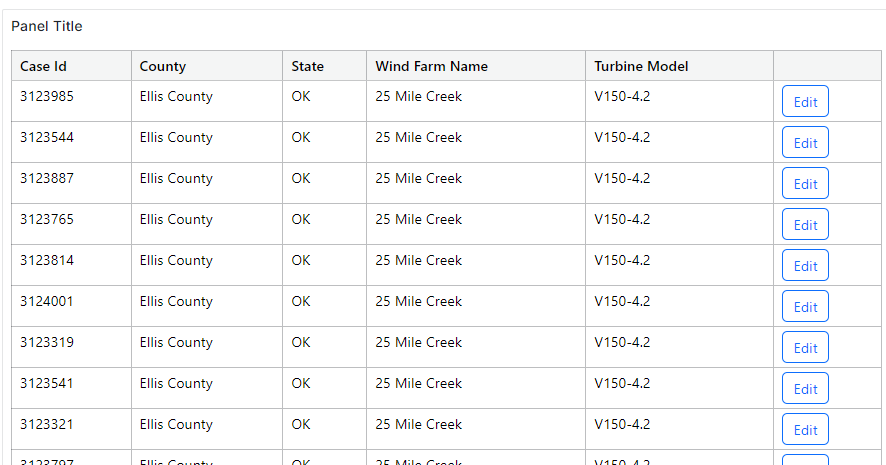
Would you be willing to share some sample code of what to put in the Business Text markdown?
any more information(like a link?) about sin plugin?
Thanks in advance
the one that is marked as solution has the link.